Introduction
Lap is a local-first photo manager built for people who want fast browsing, practical organization tools, and private on-device search.
Why Lap?
Most photo apps force a tradeoff: either you get a simple folder viewer with very limited tools, or you upload your library to a cloud service that scans everything for you.
Lap is designed to avoid that compromise.
It works directly with your existing folders, keeps your library on your own device, and adds modern search and organization features without turning your photo collection into a cloud product.
Key Features
- Local First: Your photos stay on your own disk. No mandatory cloud upload, no cloud indexing.
- Fast Browsing: Built with Rust and Tauri, with a rebuilt scanner and optimized local database for large libraries.
- AI Search on Device: Search with natural language, similar-image search, face clustering, and smart tags, all processed locally.
- Multilingual Search: Search in 50+ languages with optional multilingual models, available as an additional download when needed.
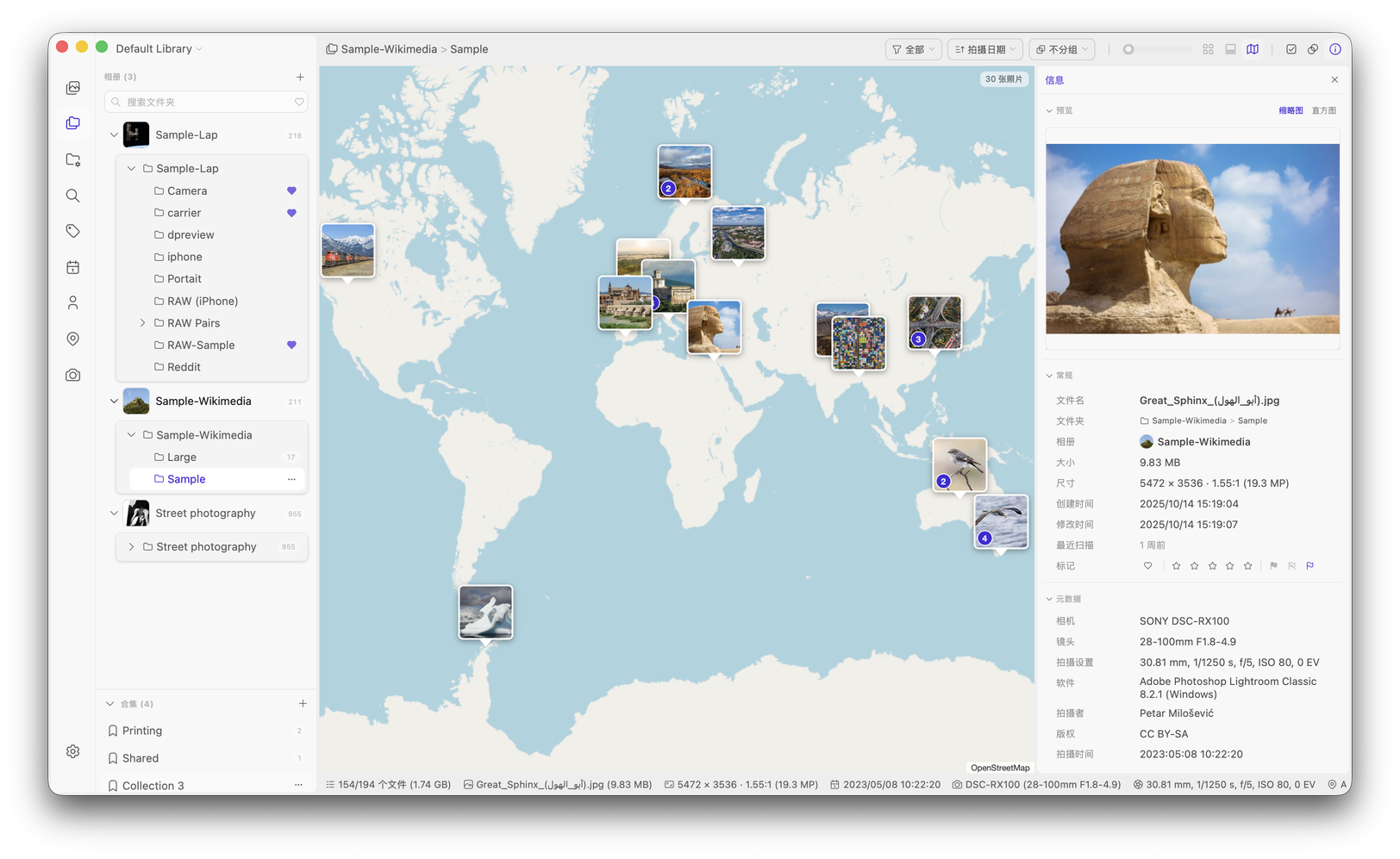
- Interactive Map View: Explore geotagged photos and videos in clusters that follow your current filters.
- Live and Motion Photos: Play Apple Live Photos and supported Google Motion Photos, with a unified Smart Album filter.
- Practical Organization: Use Smart Albums, collections, tags, ratings, and bulk duplicate cleanup to organize your library.
- Flexible Viewing: Browse by date, use random sorting, compare four images, and customize thumbnail size and corners for your display.
- RAW Support: Group RAW + JPEG/HEIC pairs and choose RAW rendering or embedded previews for thumbnails and viewing.
- Broad Video Support: Open MP4, MOV, AVI, MKV, and 20+ other video formats across platforms.
- Built-in Editing Tools: Quickly crop, rotate, adjust, and save changes without leaving the app.
- Folder-Based Workflow: Lap reflects your real folder structure instead of forcing an import-only library model.
- Date-Organized Import: Import into day, month, year, or single-folder layouts, preserving filenames and skipping duplicate content.
Getting Started
Lap is currently available for macOS, Linux, and Windows.
- Download the latest release
- macOS: Install with Homebrew:
brew tap julyx10/lap && brew install --cask lap, or download the_aarch64.dmg/_x64.dmgfile manually. - Linux: Install the
_amd64.debor_arm64.debpackage on Debian-based distributions, or run the_amd64.AppImage/_aarch64.AppImagepackage. - Windows: Download the
_x64_en-US.msior_arm64_en-US.msiinstaller and complete the setup wizard. - Check out what's new in v0.3.2